
QR accreditation and access control
Guests receive an access pass with a QR code on their phone. Stela App Staff validates the scan, checks access permissions and records their entry.
From QR code to logged entry
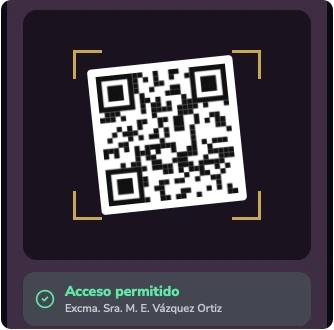
Guests arrive with their access pass on their phone. Scanning the code with Stela App Staff checks their access permission and marks them as admitted, so a second scan can be detected.
- Arrival
- Scan
- Validation
- Log
Access passes by type
Each event defines its own access pass types, each with a name and colour. Passes can be printed using custom-designed templates or sent to each guest’s phone.
On a phone, by email and in Apple Wallet
Guests receive their access pass by email with a QR code, and also as an Apple Wallet pass that updates automatically when their details change.
A unique, secure QR code
Each code is unique to a guest and event, is encrypted with the organisation’s key and has an expiry date.
Attendance records
Stela records attendance by day and by event for later reference.
- 1Arrival
- 2Scan
- 3Validation
- 4Log
Discover Stela in a demonstration
We will show you how Stela can help you organise more effective, secure and memorable events.
Request a demo